ResumeLog
Everything in ResumeLog. Capture, track, tailor and follow up.
Senior Frontend Engineer
Northwind Labs · Remote
- Frontend EngineerHarbourlineApplied
- React DeveloperTidewaterInterviewing
- UI EngineerLumen & Co.Applied
Save jobs, people and companies from LinkedIn
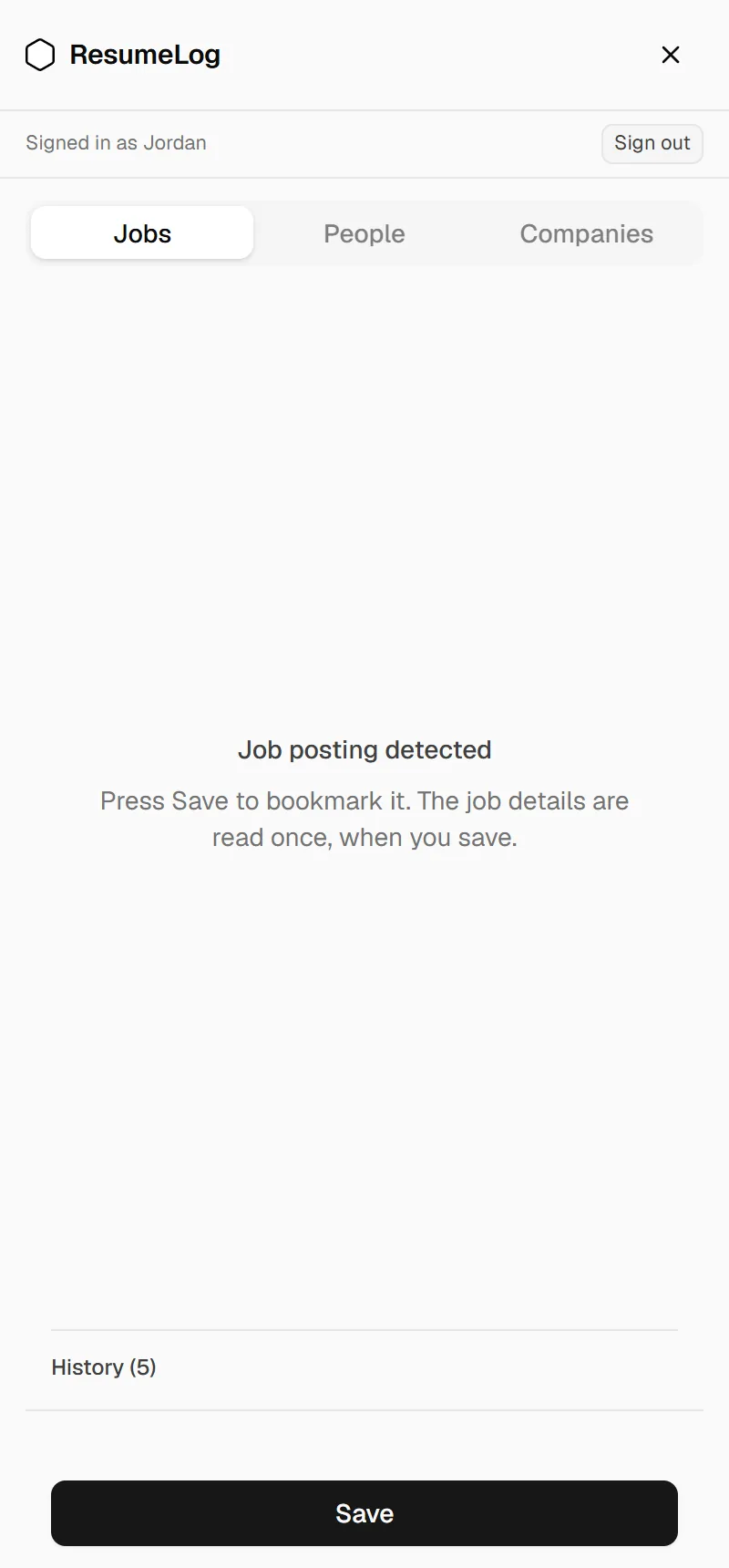
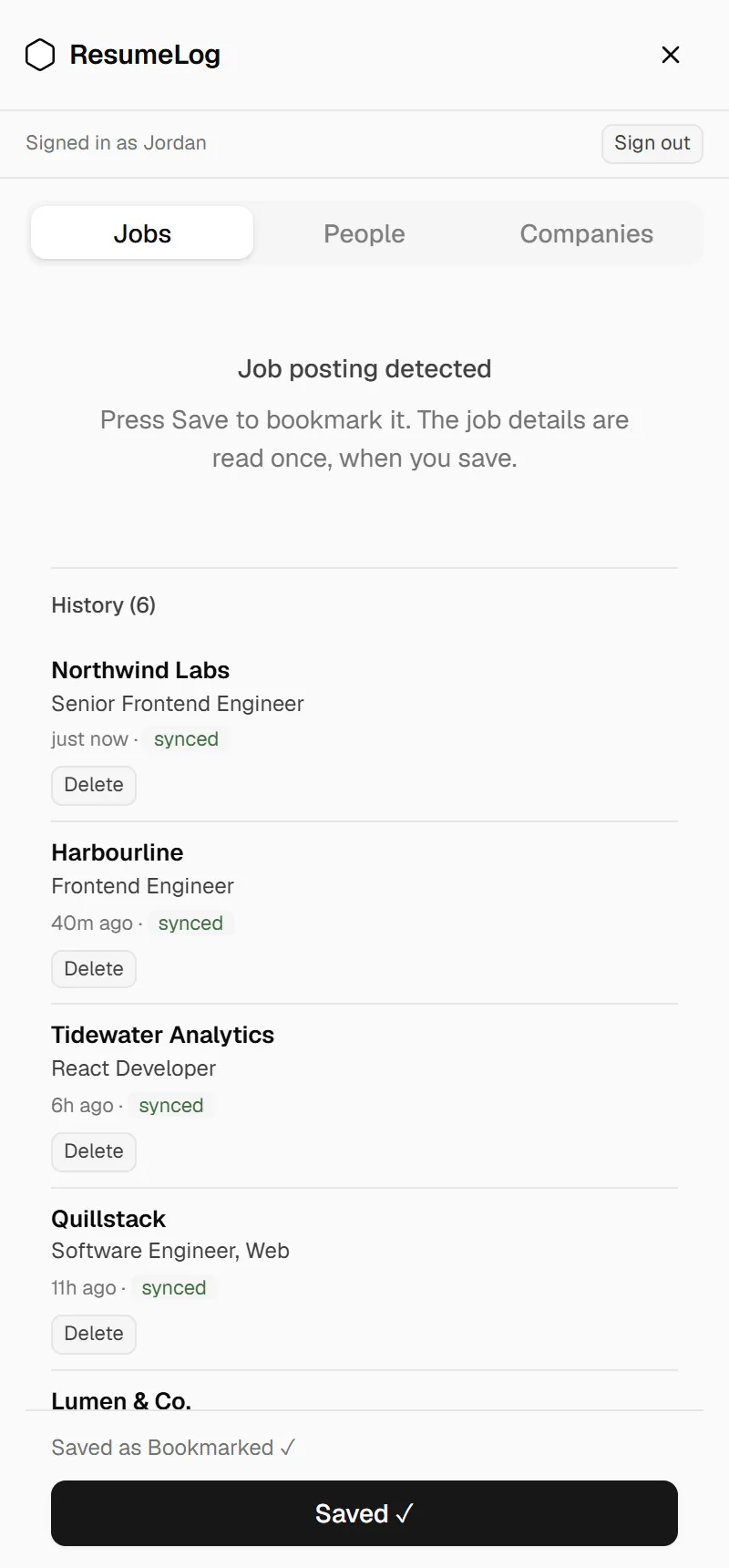
The extension opens as a side panel next to LinkedIn. It knows whether you’re on a job, a company page or a profile, and switches to match. Press Save and it’s in your log.
- Title, company, location and the full job description
- Company size, industry and location
- A person’s name, headline and current company
- Saved locally first, then synced, so a dropped connection loses nothing
Easy Apply answers, kept with the job
Finish a LinkedIn Easy Apply and press Submit: ResumeLog keeps the questions, your answers and the résumé you uploaded. Before the call, you can see exactly what you told them.
- Captured automatically when you press Submit
- Works when you reuse a résumé LinkedIn already has
- Stored against the job, so it’s there when you open it
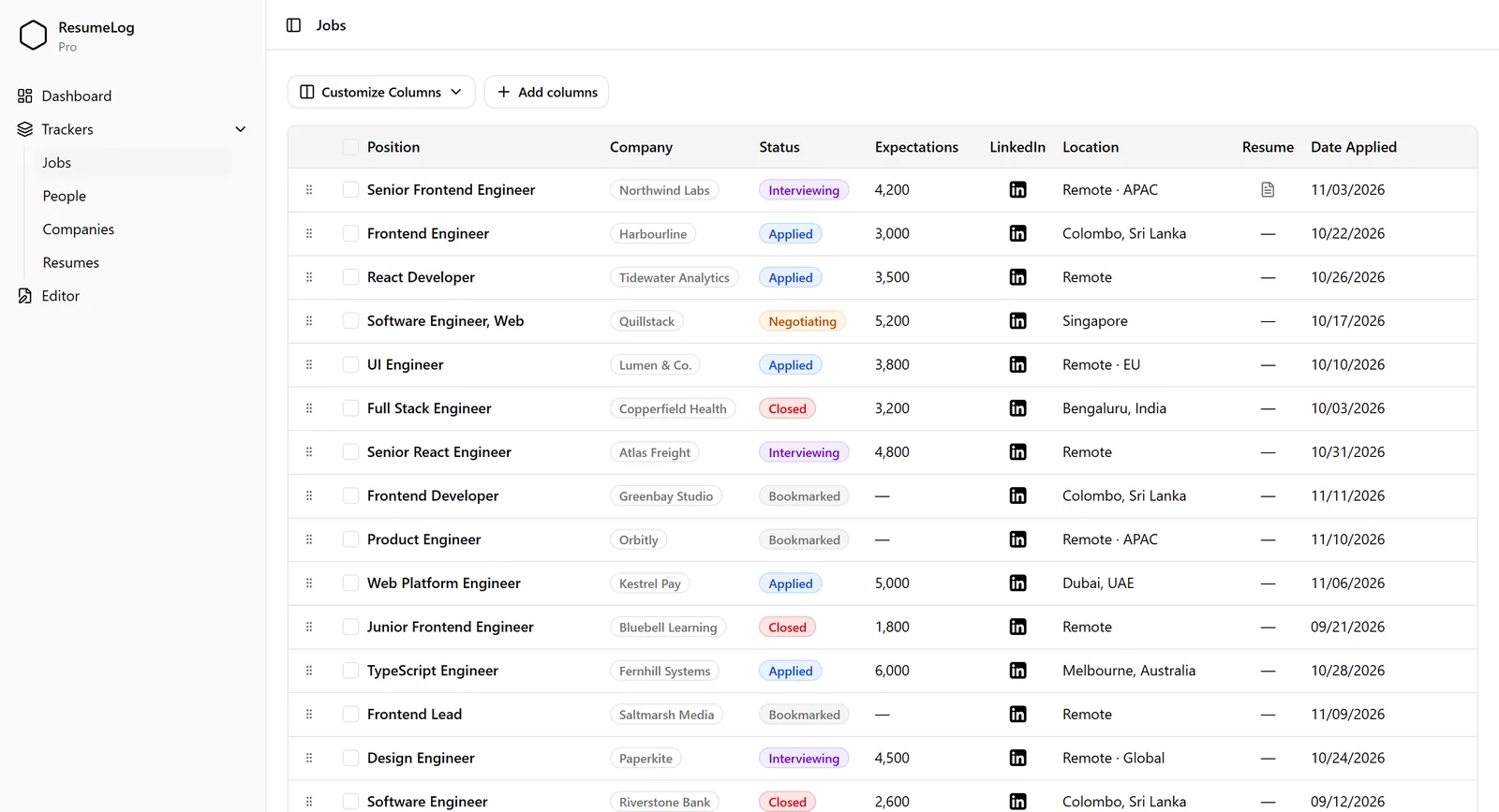
A job tracker that fills itself in
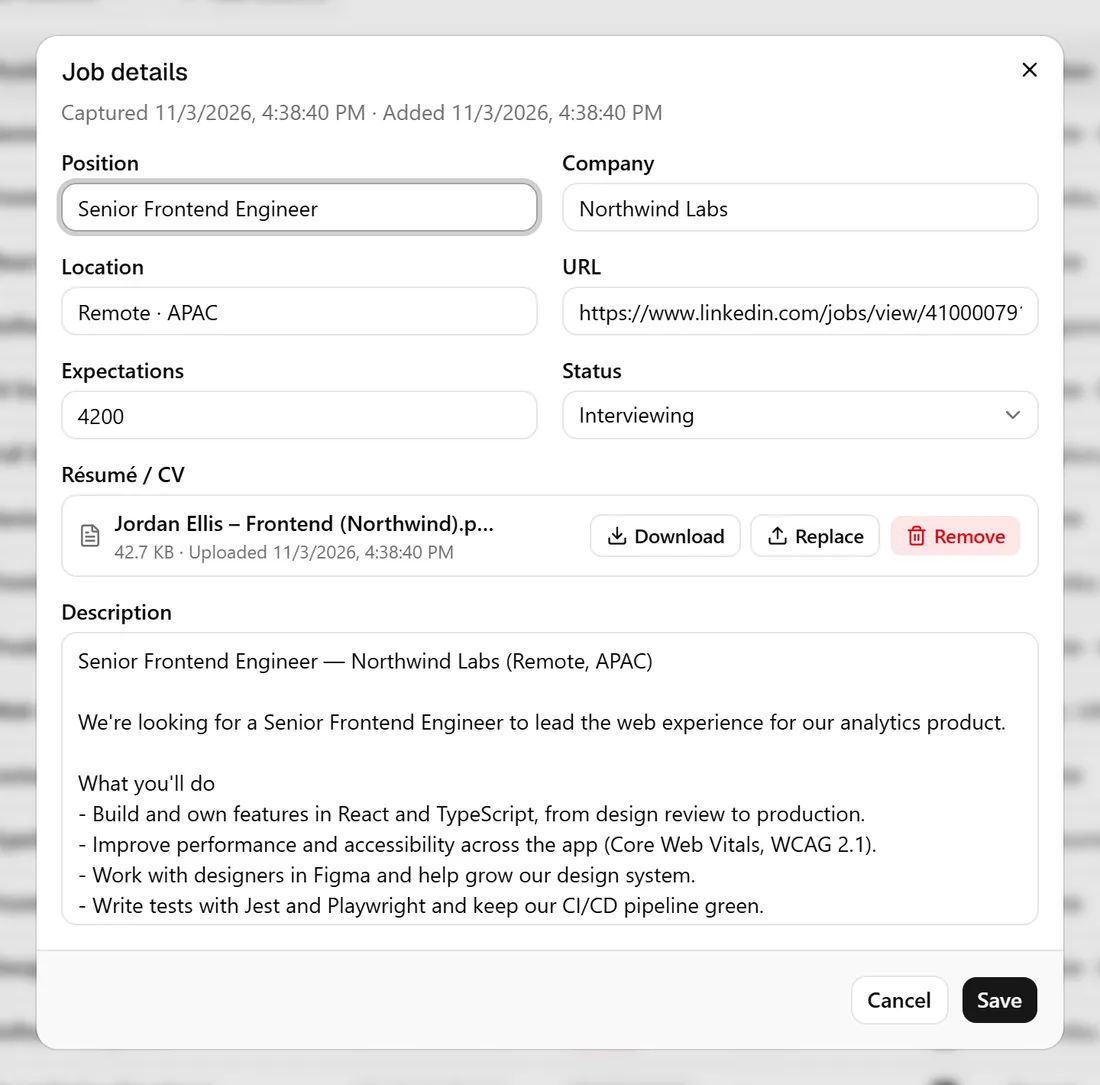
Every saved job lands in a table you can sort and customise. Give it a status, note your salary expectation, attach the CV you sent and keep the original description.
- Bookmarked, Applied, Interviewing, Negotiating, Accepted, Closed
- Choose which columns you see, and add your own
- Attach a PDF résumé to each job
- Separate lists for people and companies
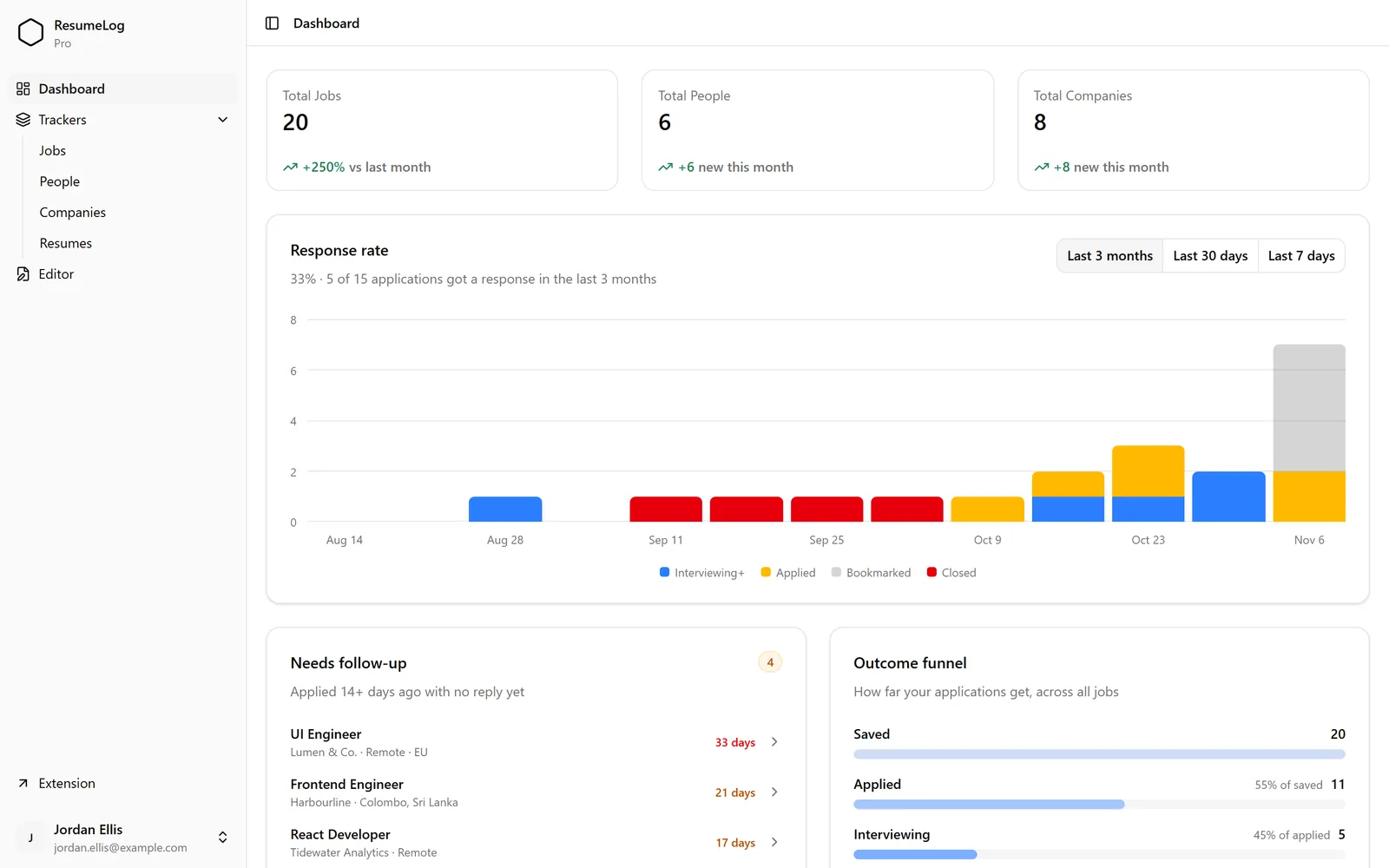
A dashboard that shows how it’s going
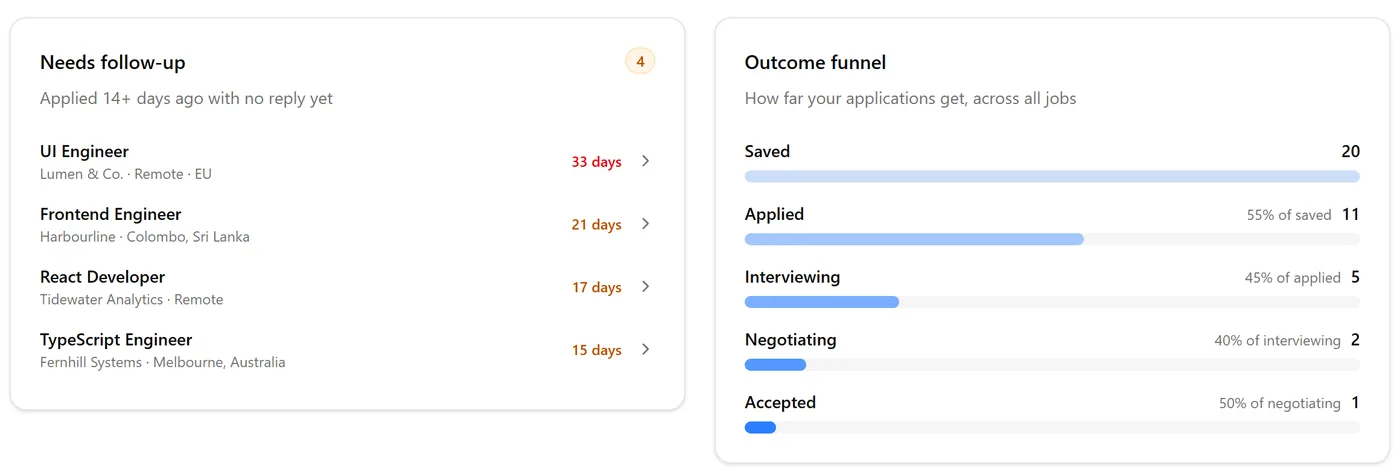
How many jobs, people and companies you’ve saved, how many applications got a response, and where in the process things tend to stop.
- Response rate by week: last 7 days, 30 days or 3 months
- An outcome funnel from saved to accepted
- A feed of everything you’ve recently saved
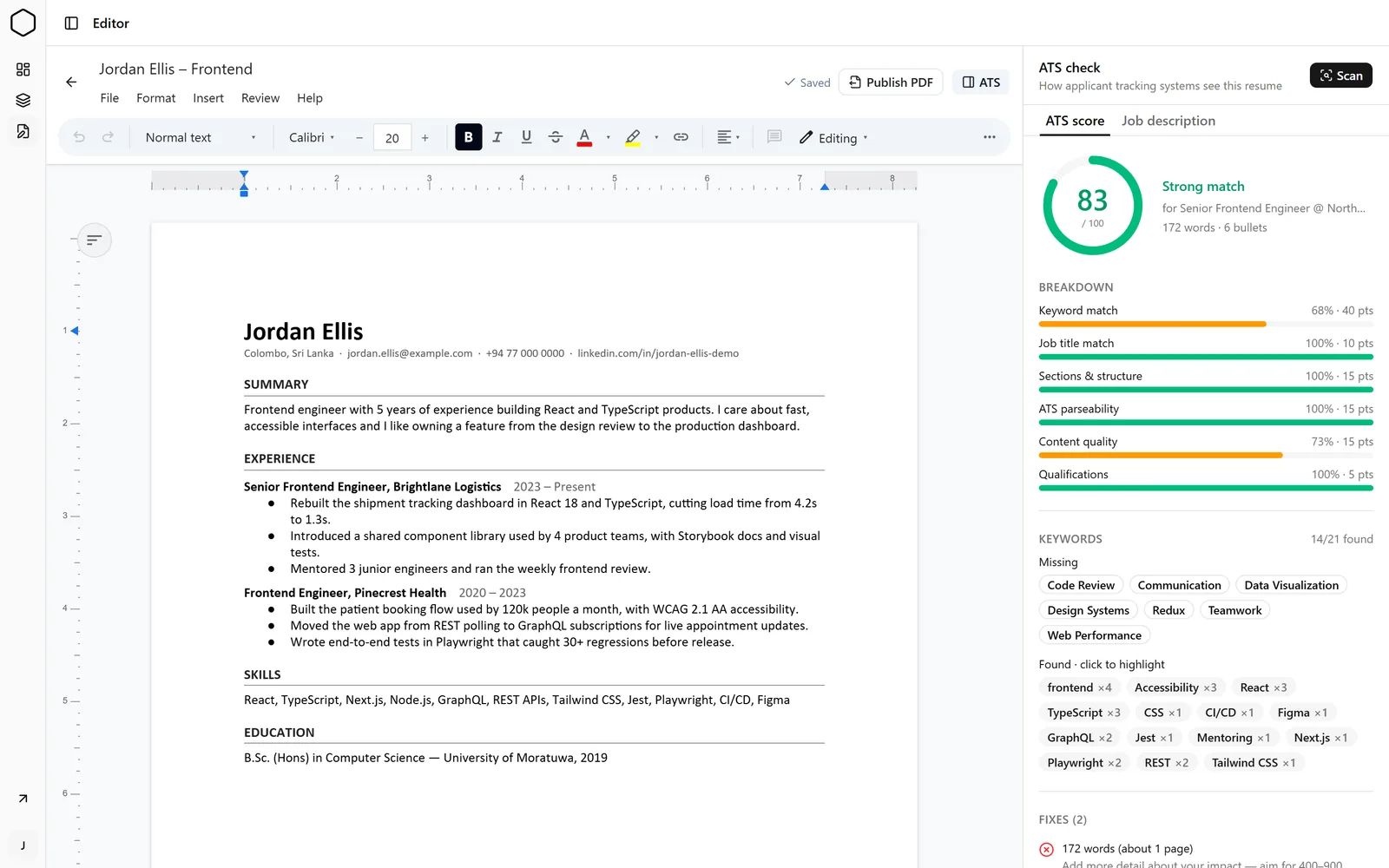
An ATS check against the job you saved
Pick a saved job, or paste a description, and scan your résumé against it. The score is made of six parts you can see, so you know what to change instead of guessing.
- Keyword match, with what’s missing and what’s already there
- Job title, sections, parseability, content and qualifications
- Click a found keyword to highlight it in your résumé
- Free: 5 scans a day. Pro: unlimited, every fix, scan history
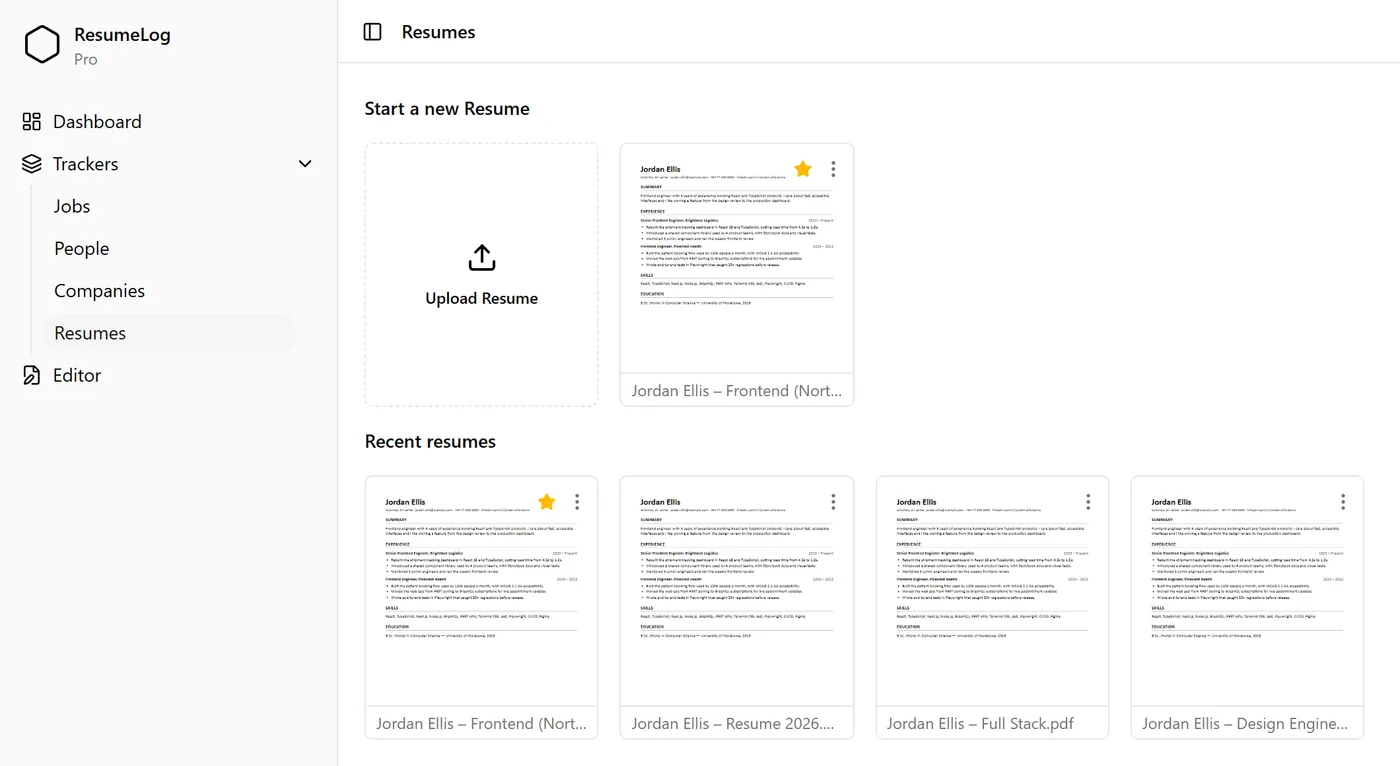
Edit Word résumés, publish PDFs
Upload a .docx and edit it in the browser with its formatting intact. When it’s ready, publish a PDF straight into your résumé library.
- Fonts, lists, headings and comments
- Saves as you go
- One click from Word to PDF
- Star the versions you use most
Follow-up reminders
Jobs you applied to two or more weeks ago with no reply are listed on your dashboard, oldest first, with how long each has been waiting.
- Nothing to set up
- Click a job to open it and update its status