 ResumeLog
Your whole job search, organised in one place.
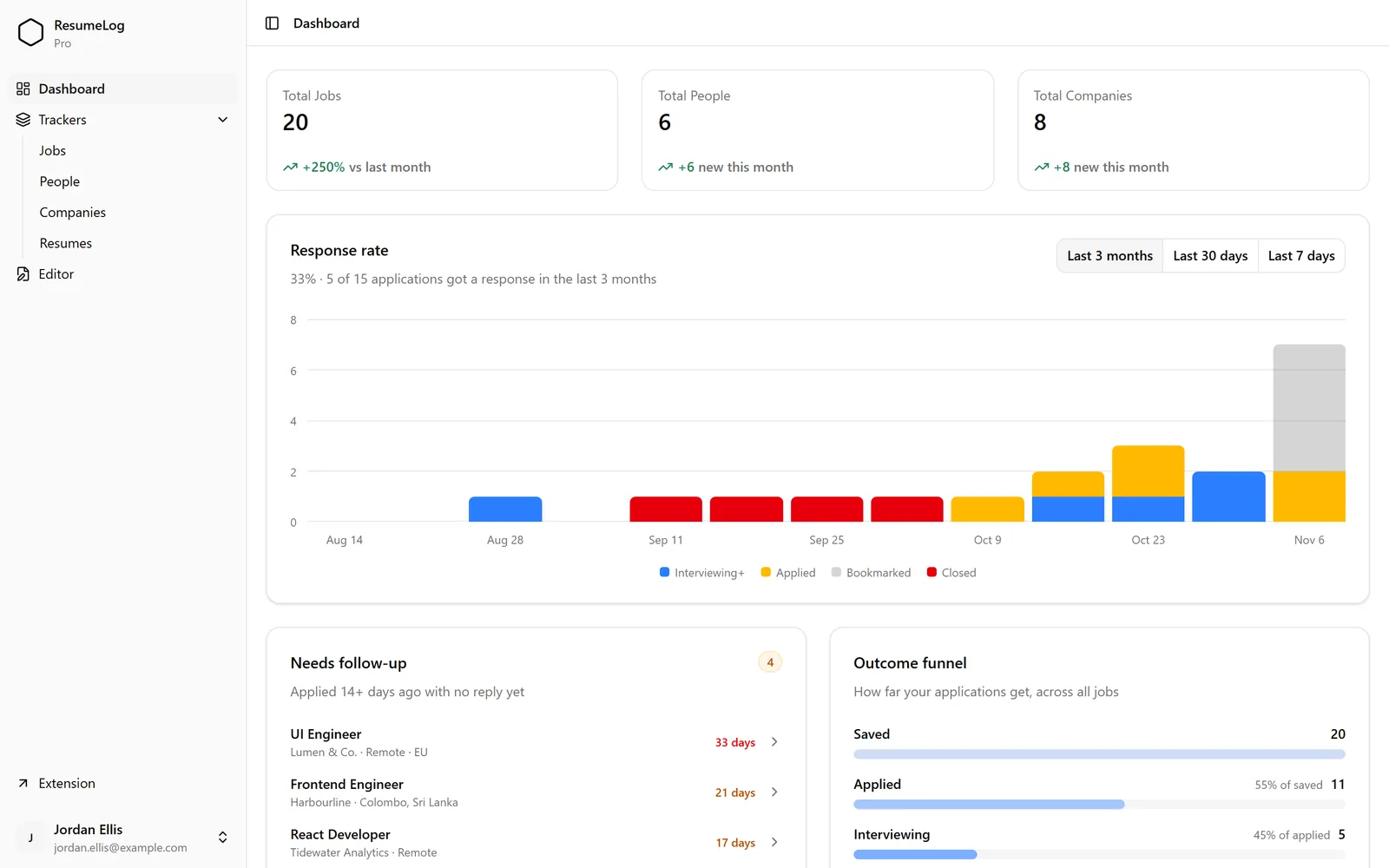
ResumeLog is a job search organizer: a free Chrome extension plus a dashboard that keeps your jobs, recruiters, companies and resumes together. It shows your response rate, an outcome funnel from saved to accepted, and which applications need a follow-up.
How do I organise my job search?
Keep one list of every job with a clear status, one place for every resume version, and a weekly check-in. ResumeLog does the first two as you browse LinkedIn; the dashboard makes the weekly check-in a two-minute job.
- Save every job you might apply to, as you find it.
- Tailor and attach the resume you send to each one.
- Update statuses as replies arrive.
- Once a week, follow up on anything quiet for two weeks.
Is ResumeLog a job search CRM?
In practice, yes. Jobs, people and companies each have their own list, so you can see the recruiter and company behind an application. It isn’t a mass-outreach tool: it never sends messages or applications for you.
How do I know if my job search is working?
The dashboard shows how many applications got a response by week (last 7 days, 30 days or 3 months) and a funnel from saved to accepted, so you can see whether the problem is getting replies or converting interviews.
Questions. About the job search organizer.
- Does it replace my spreadsheet?
- Yes. Rows fill themselves in from LinkedIn, and you can add your own columns.
- Is my data private?
- Your log is tied to your Google sign-in. Nobody else can see it and nothing is sold.