 ResumeLog
Track every LinkedIn job and every Easy Apply.
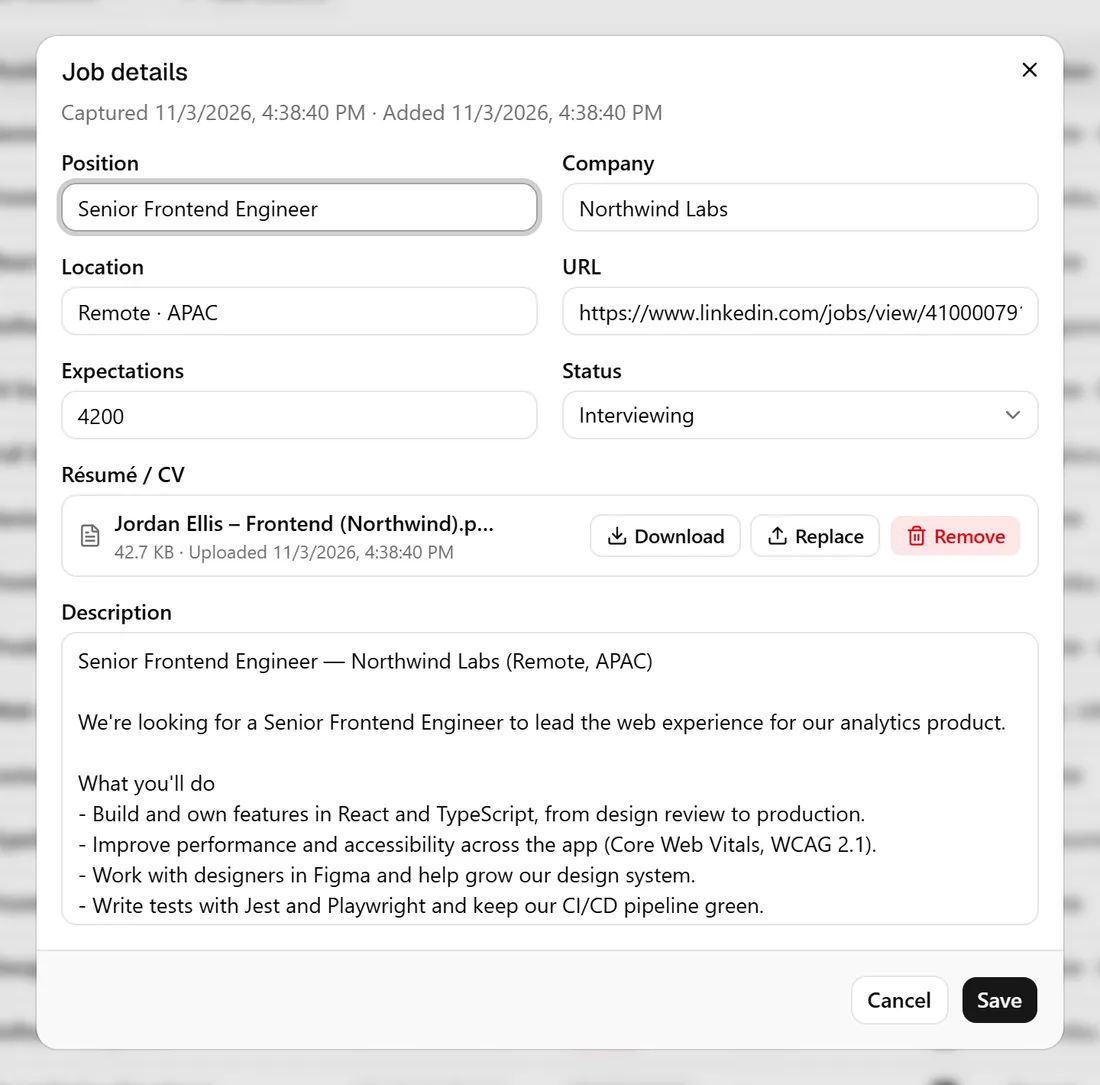
ResumeLog is a LinkedIn job tracker for Chrome. It saves LinkedIn jobs, recruiters and companies in one click, and when you submit an Easy Apply it keeps the questions, your answers and the resume you uploaded, stored with the job in your tracker.
How do I keep track of LinkedIn Easy Apply applications?
LinkedIn’s own “Applied” list doesn’t keep your answers or a copy of the job description. With ResumeLog installed, pressing Submit on Easy Apply saves the questions, your answers and the resume you sent against the job, so you can review them before a recruiter calls.
Why not just use LinkedIn’s saved jobs?
LinkedIn saved jobs can’t hold a status, your notes, the resume version you sent or a salary expectation, and closed postings lose their description. ResumeLog keeps all of that in a table you can sort, filter and customise.
Can I track recruiters and hiring managers?
Yes. On a LinkedIn profile, press Save to keep the person’s name, headline and current company. Companies get their own list too, with size, industry and location.
Questions. About the linkedin job tracker.
- Does ResumeLog read my LinkedIn messages?
- No. It only reads the page in front of you when you press Save, and the Easy Apply review screen when you press Submit.
- Will LinkedIn know I’m using it?
- ResumeLog only reads pages you open yourself and never clicks, applies or messages on your behalf.